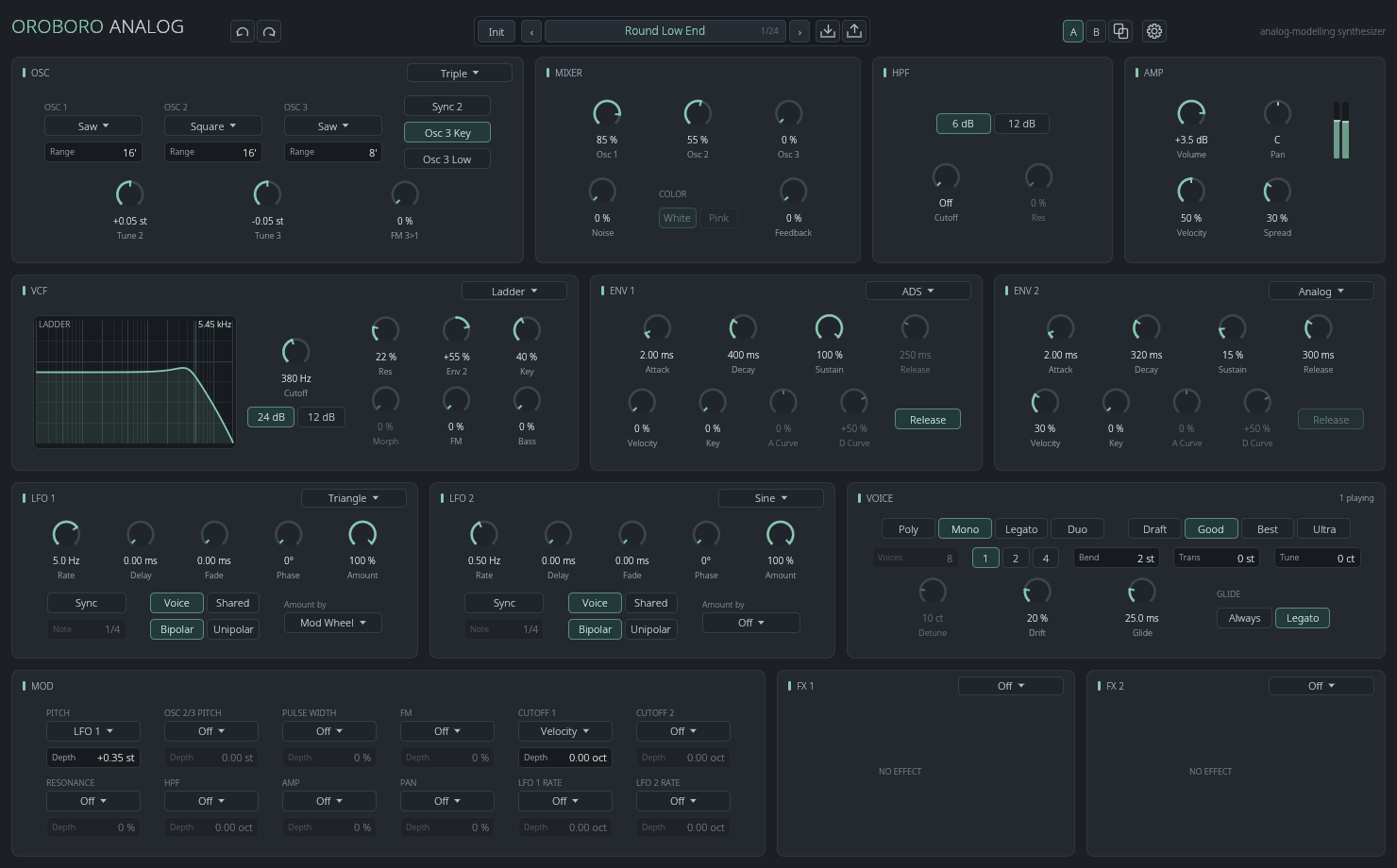
Oroboro Analog is a polyphonic synthesizer in the classic analog style, and its panel is laid out like hardware. Pick an oscillator model, a filter model and an envelope character. Then play round basses, sync leads, slow pads, strings, brass and keys.
- Three oscillator models: Triple (three oscillators, six waves each), Dual (two oscillators with every wave mixed at once) and DCO (saw and pulse with a sub-oscillator, steady in pitch)
- Depending on the model: hard sync, FM, cross and ring modulation, white or pink noise and filter feedback
- Five filter models: transistor and diode ladders and a cascade at 24 or 12 dB/oct, a multimode that morphs from low pass through notch to high pass, and a screaming Sallen-Key with clipping diodes
- The plugin solves the filters sample by sample, saturation included, so they drive, ring and self-oscillate as analog filters do
- A high pass before the filter: gentle 6 dB/oct, or resonant 12 dB/oct
- Two envelopes, each ADS, analog or digital, with velocity and key follow of their times
- Two LFOs with seven shapes, delay and fade-in. Each LFO runs free or in time with your song, per voice or shared
- Modulation: 12 sources onto 12 destinations, from envelopes and LFOs to aftertouch (channel or per note), breath and expression
- Poly up to 16 voices, Mono, Legato and Duo, with glide. Stack 1, 2 or 4 voices a note, detuned and spread wide
- Drift: each voice is a little different in pitch, cutoff and envelope times and wanders slowly, like the voices of an old analog polysynth
- Quality from Draft to Ultra trades CPU for accuracy. Change it while notes play, without a click
- Two effect slots: chorus, phaser, plate reverb, delay in time with your song, and a rotary speaker
- 24 factory presets: basses, leads, pads, strings, brass, keys, plucks, an organ and effects
- Undo and redo, A/B comparison and themes
CLAP and VST3. The download is also the demo, with every feature. Until you activate it, it plays a short burst of noise every minute after 30 minutes of use.
VST is a registered trademark of Steinberg Media Technologies GmbH.